

Invite Collaborators
Collaborators are individuals to whom you can give permission to help and manage your Brand Kit. Specifically, they can create, update, and even delete Voice Profiles within the Brand Kit, including those created by the Brand Kit owner or other collaborators.
This helps in ensuring that your brand's voice stays consistent across all your content irrespective of who's working on it.
Note: Only the Brand Kit Owner or Admin can add or remove the collaborators.
What You Will Learn
-
How to invite one or more Collaborators to a Brand Kit.
-
How to remove a Collaborator from a Brand Kit.
Steps for Execution
To add a Collaborator in Brand Kit, log in to your Contentstack account and perform the following steps:
- Navigate to App Switcher on the top-right corner and select Brand Kit.
- Select the Brand Kit in which you want to add a Collaborator.
- Click the Brand Kit Settings.
- On the Settings page, click Collaborators.
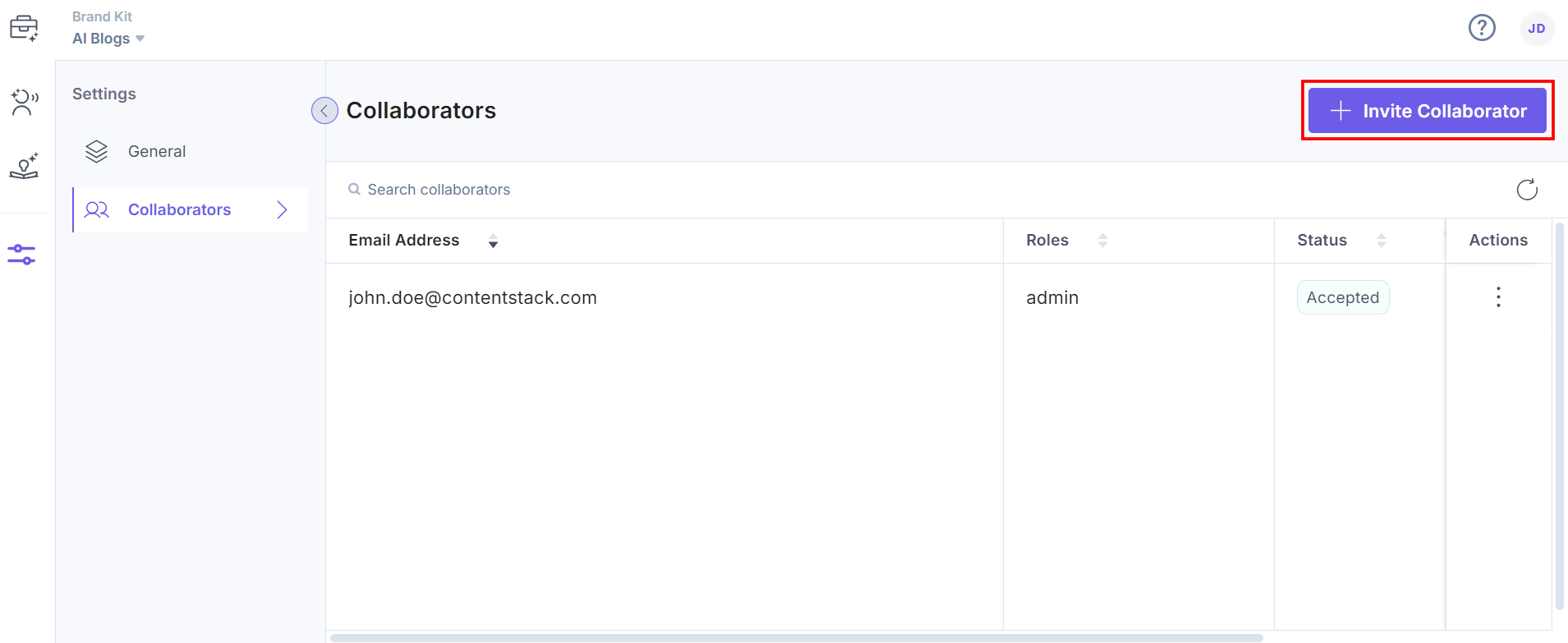
- Click the + Invite Collaborator button to add collaborators in the Brand Kit.
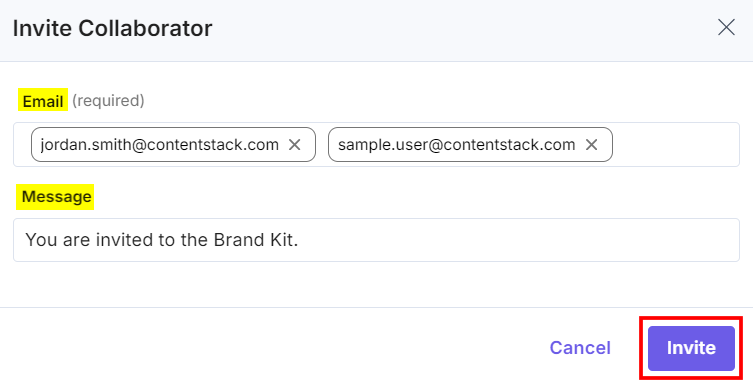
- In the Invite Collaborator modal, enter the emails and click Invite to grant access. You can add multiple email addresses to invite collaborators in bulk. Optionally, you can add a message to the invitees.
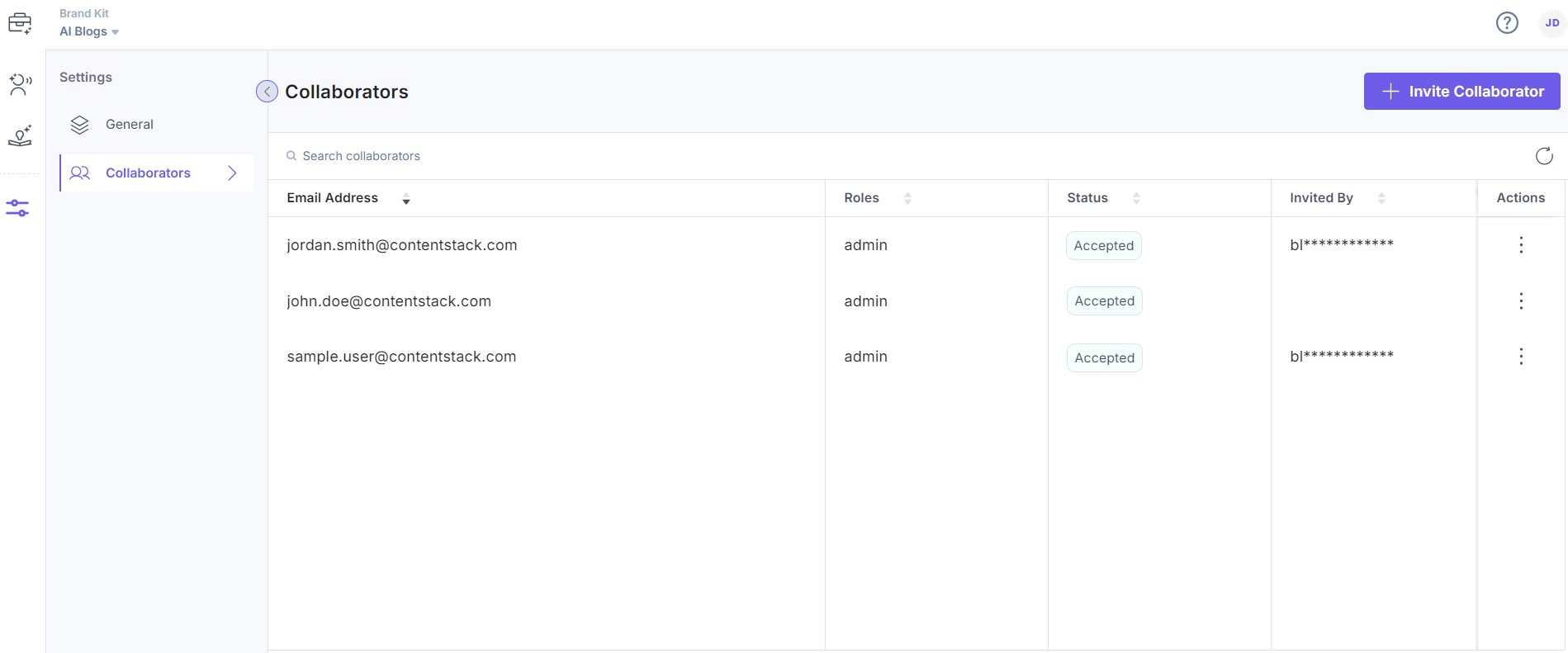
The added Collaborators receive an invitation through an email. After they accept the invite and get authorized, the status will update to Accepted and they access the Voice Profiles.
Remove a Collaborator
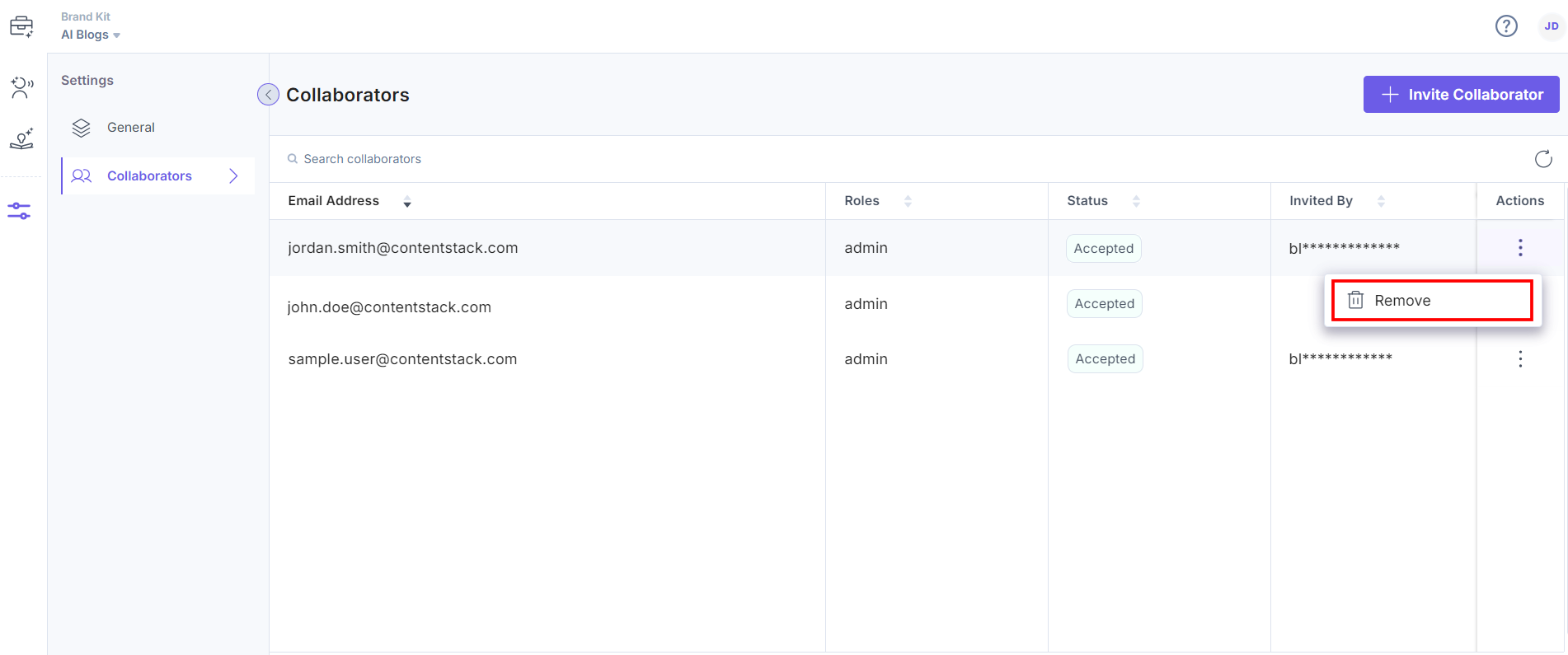
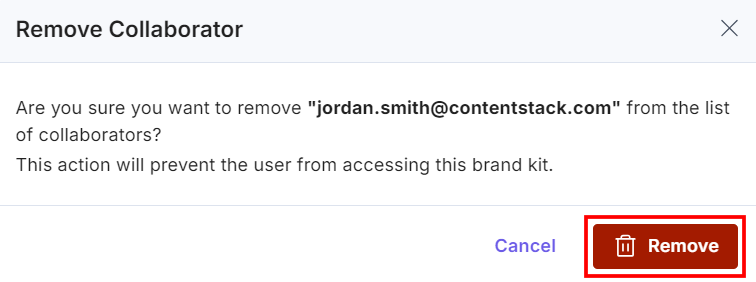
- To remove a Collaborator, you can click three ellipses under the Actions section and select the Remove option.
- Click the Remove button again to successfully remove the Collaborator.
More articles in "Working with Brand Kit"
