

Enable SAML Encryption
Security Assertion Markup Language (SAML) is an open standard for trading authorized content such as logins, identifiers, and other suitable attributes between Contentstack and an IdP.
SAML simplifies and secures the authentication process by authorizing users with a single set of authentication credentials.
An IdP stores specific SAML attributes that help validate users during logins. Allowing encryption of the SAML attributes adds another layer of security so that personal or corporate data is not compromised.
Note: Enabling SAML encryption is optional. Even without the encryption, communication between the IdP and Contentstack application transpires over encrypted links.
Enabling Encryption for SAML Attributes in Contentstack
Once you enable the encryption, the IdP encrypts the SAML attributes using the public key obtained from Contentstack.
To enable SAML encryption, perform the following steps:
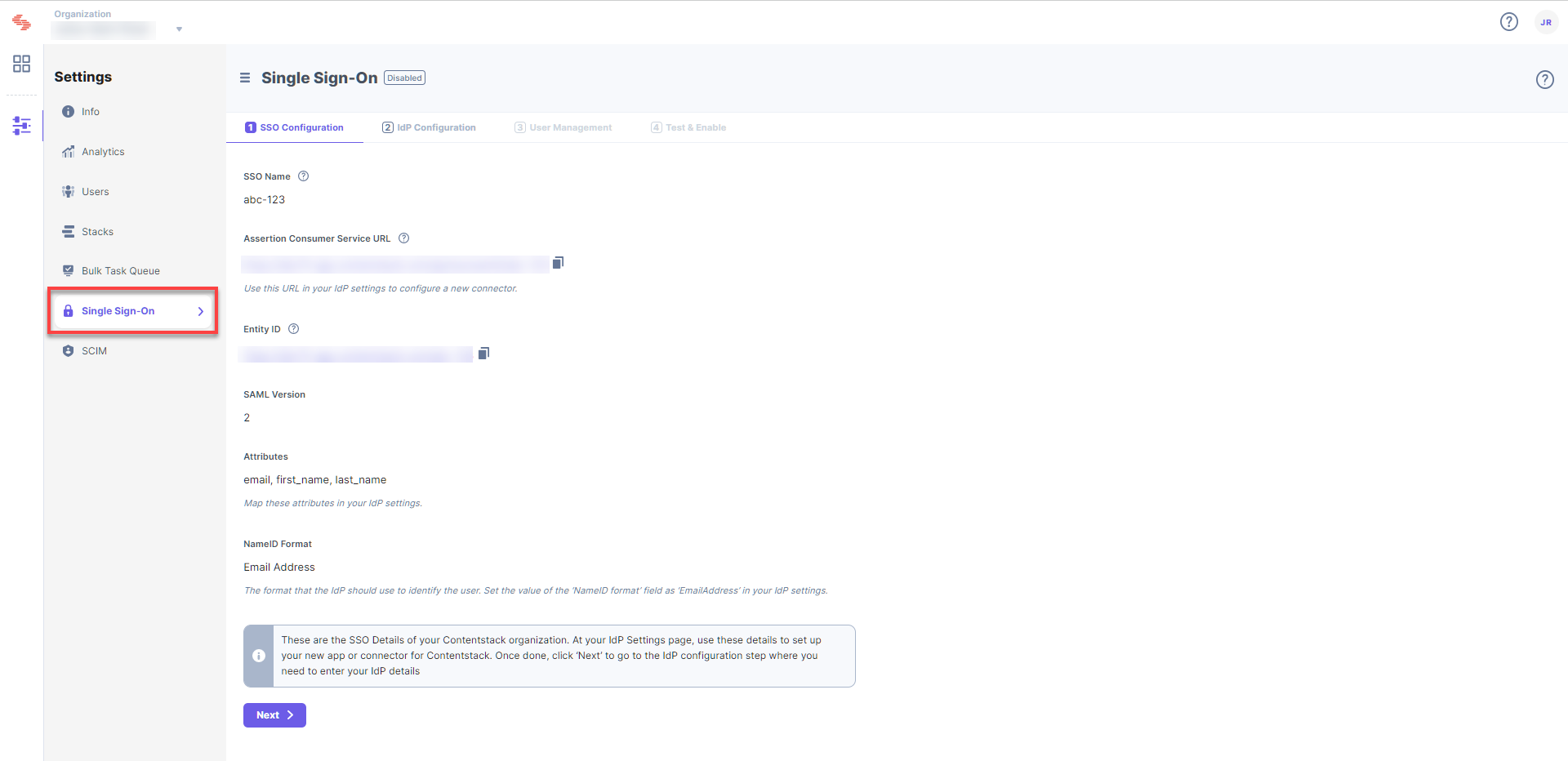
- Log in to your Contentstack account, open the App Switcher, go to Administration, and then click Single Sign-On.
Note: SSO can be configured by the organization owner, a security manager, or a user with a custom role that has SSO write permissions.
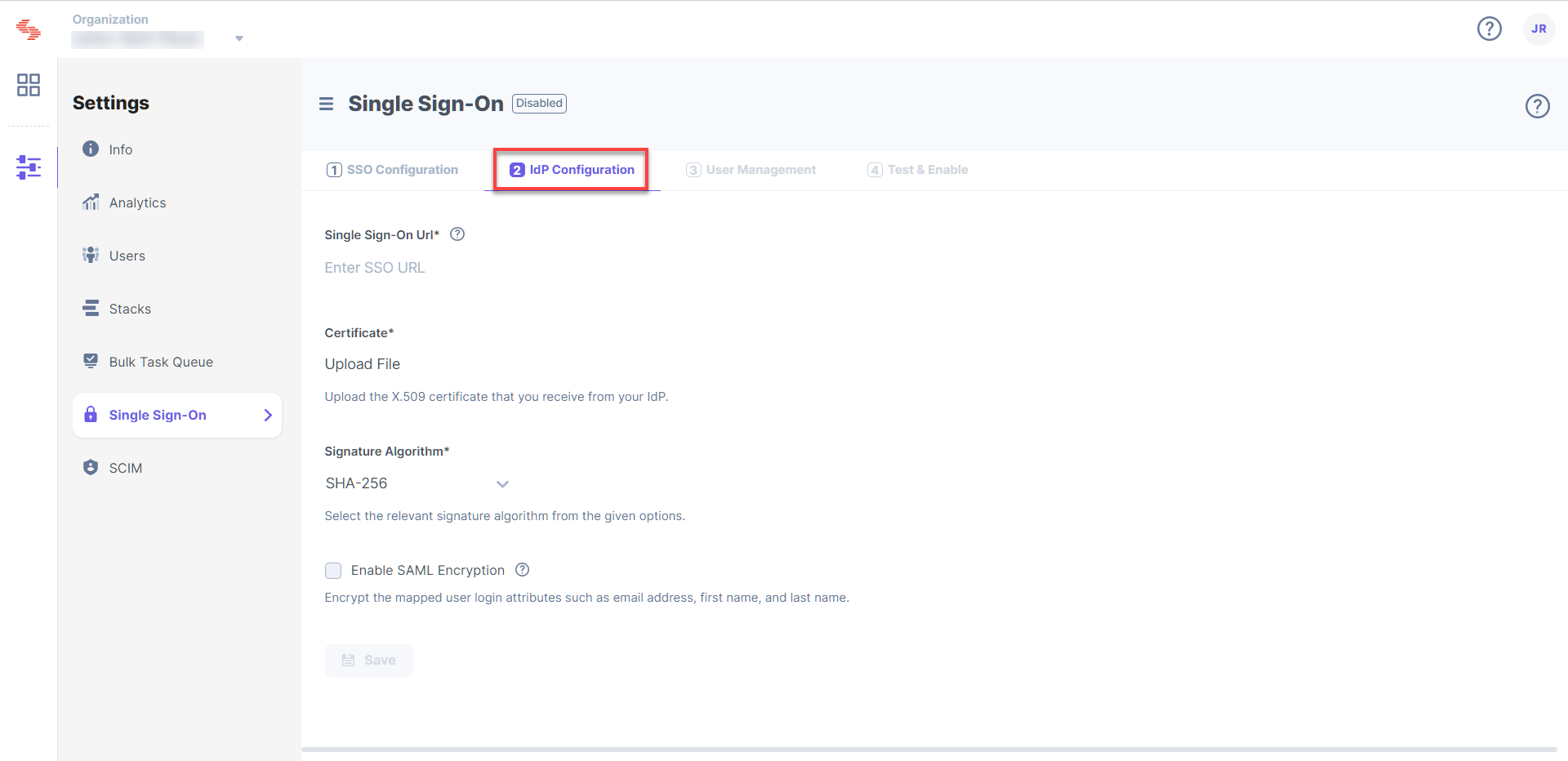
- Click on the 2. IdP Configuration tab.
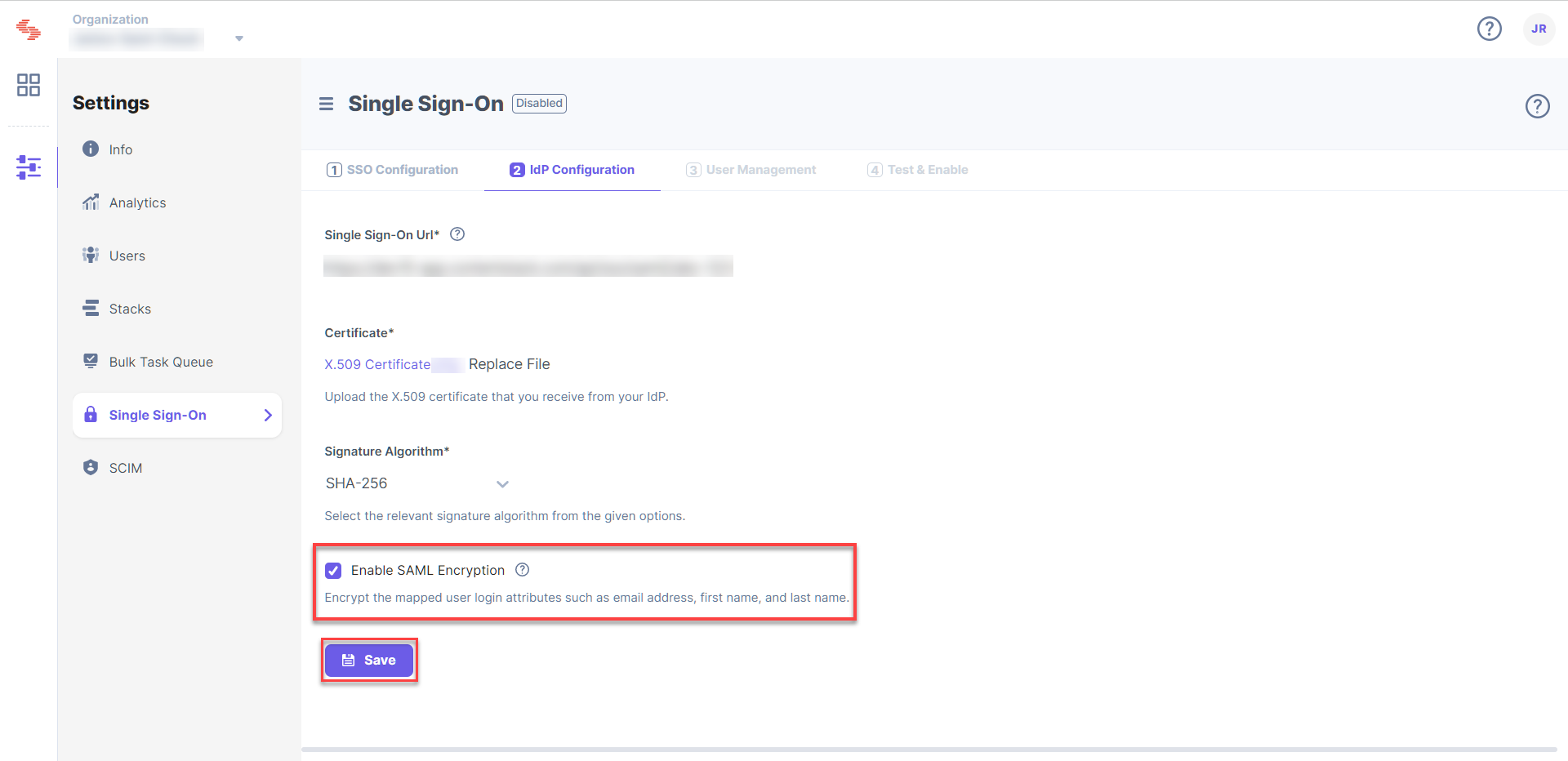
- Check the Enable SAML Encryption checkbox, and click on Save.
Note: In an organization with multiple IdPs, you configure SAML encryption separately for each connection.
Download the Contentstack Public Certificate for SAML Encryption
You need a public certificate to encrypt your SAML attributes via your IdP. Download the Contentstack Public Certificate and upload it to your IdP to configure the SAML encryption.
Once you enable SAML encryption on a connection, this certificate is also included in that connection's service provider (SP) metadata, which you can download from the 1. SSO Configuration step. The metadata carries the certificate only while SAML encryption is enabled on the connection.
Additional Resource: To download the SP metadata and share it with your IdP team, refer to Download SP Metadata.
More articles
