

Edit a Voice Profile
You can edit the specifications of your Voice Profile, such as its name and description, communication style mixer, and custom details (Insights and Sample Content).
Prerequisites
- Contentstack account
- Brand Kit-enabled Organization with Owner or Admin permissions, or as Collaborator
Note: Only the respective Brand Kit Owner can edit the Voice Profiles inside it.
- An existing Voice Profile
Steps for Execution
To edit a Voice Profile, log in to your Contentstack account and perform the following steps:
- Navigate to App Switcher in the top-right corner and select Brand Kit.
- Select the Brand Kit whose Voice Profile you want to edit.
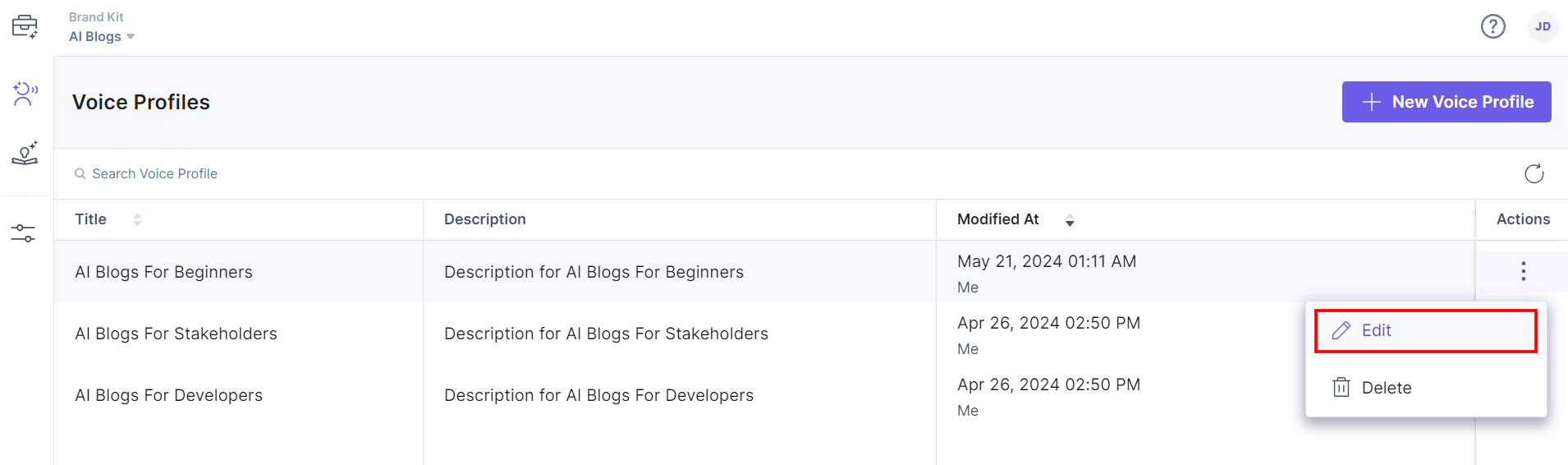
- You can edit a Voice Profile by clicking your voice profile to open it or by clicking the corresponding vertical ellipses under the Actions section and selecting Edit.
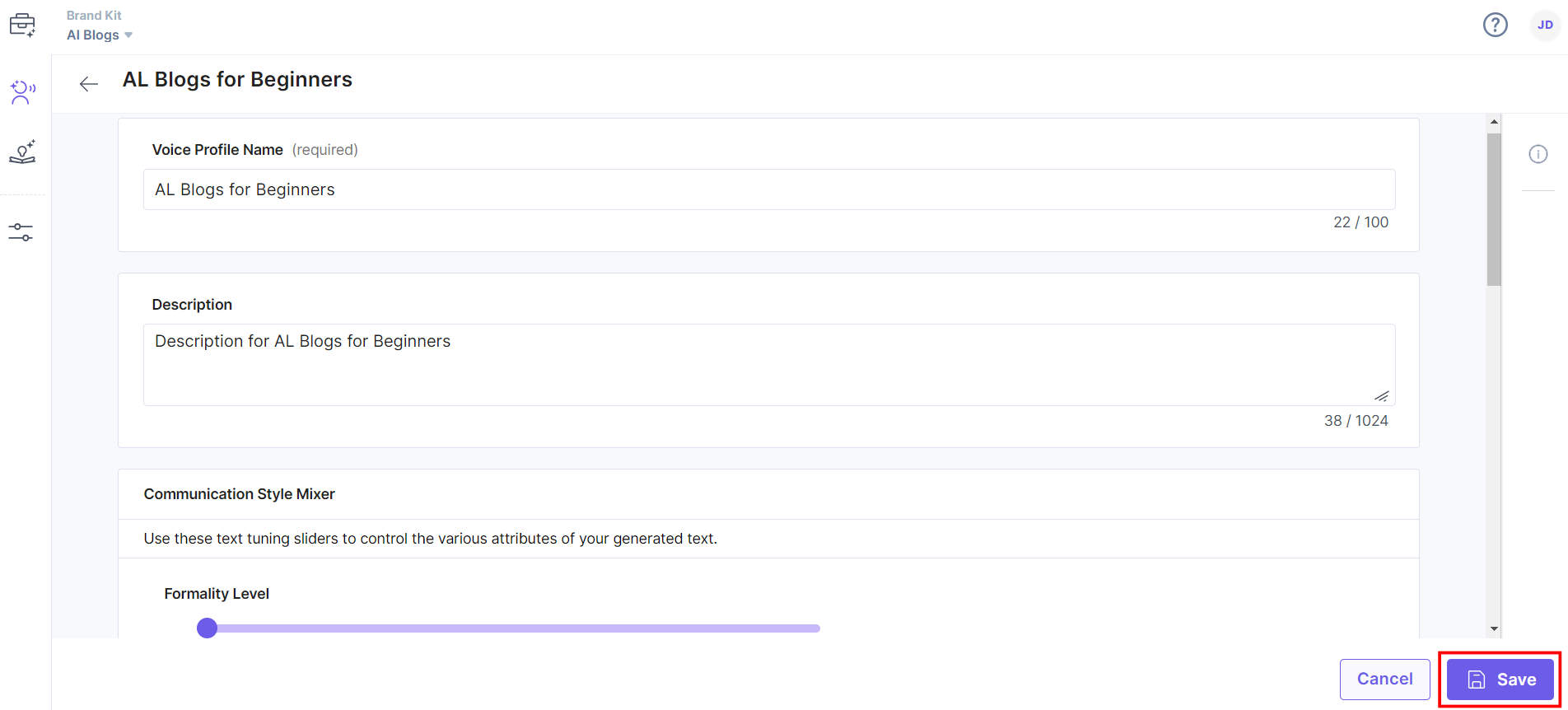
- Make changes to the Voice Profile Name and Description and update the Communication Style Mixer details, such as Formality Level, Tone Of Voice, Humor Level, and Language Complexity Level.
You can also update Custom Details, such as Insights and Sample Content as required and try generating content using Playground to refine the Voice Profiles.
- Once you have done that, click Save to save the changes.
You will get a success message after the Voice Profile is edited.
Related Resource
Was this article helpful?
More articles in "Working with Voice Profile"
