

Repair Git Provider Connection for Projects
Note: This guide covers repairing Git provider connections for apps such as Bitbucket Cloud on Contentstack Launch. If you're using GitHub, refer to the Repair GitHub Connection for Projects instead.
Contentstack Launch allows you to automatically repair Git provider connections for existing projects. If a Git provider app is uninstalled, the connection between Launch and the Git provider becomes invalid, preventing Launch from interacting with the repository.
This guide walks you through the steps to repair a broken Git provider connection.
Prerequisites
- Contentstack account
- Launch-enabled Organization with Owner or Admin permissions
- The Git Provider app reinstalled from Marketplace
- A valid project repository in your Git provider account
What You Will Learn
How to check the Git connection status for a Launch project.
How to repair a broken Git provider connection automatically.
How to resolve common Git provider connection errors.
Steps for Execution
Follow the steps below to repair the Git Provider connection in your project automatically:
- Log in to your Contentstack account.
- From the Launch landing page, select your project.
- On the top panel, click the Settings icon.
- Under the General section, locate the Git Connection panel.
You can view the status of your Git connection in this panel along with a link to your Git repository.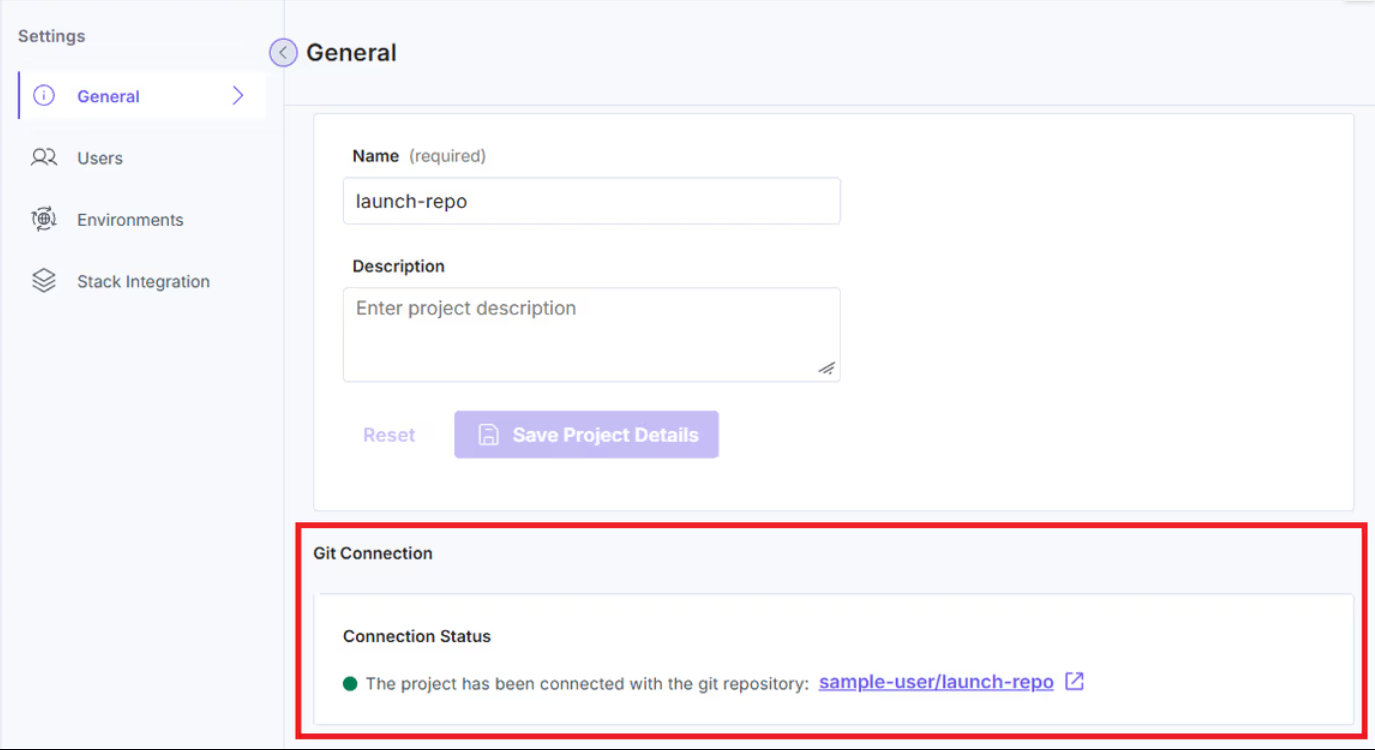
- If there are any issues with the connection, click Repair Connection to re-establish the link between your project and the Git provider.
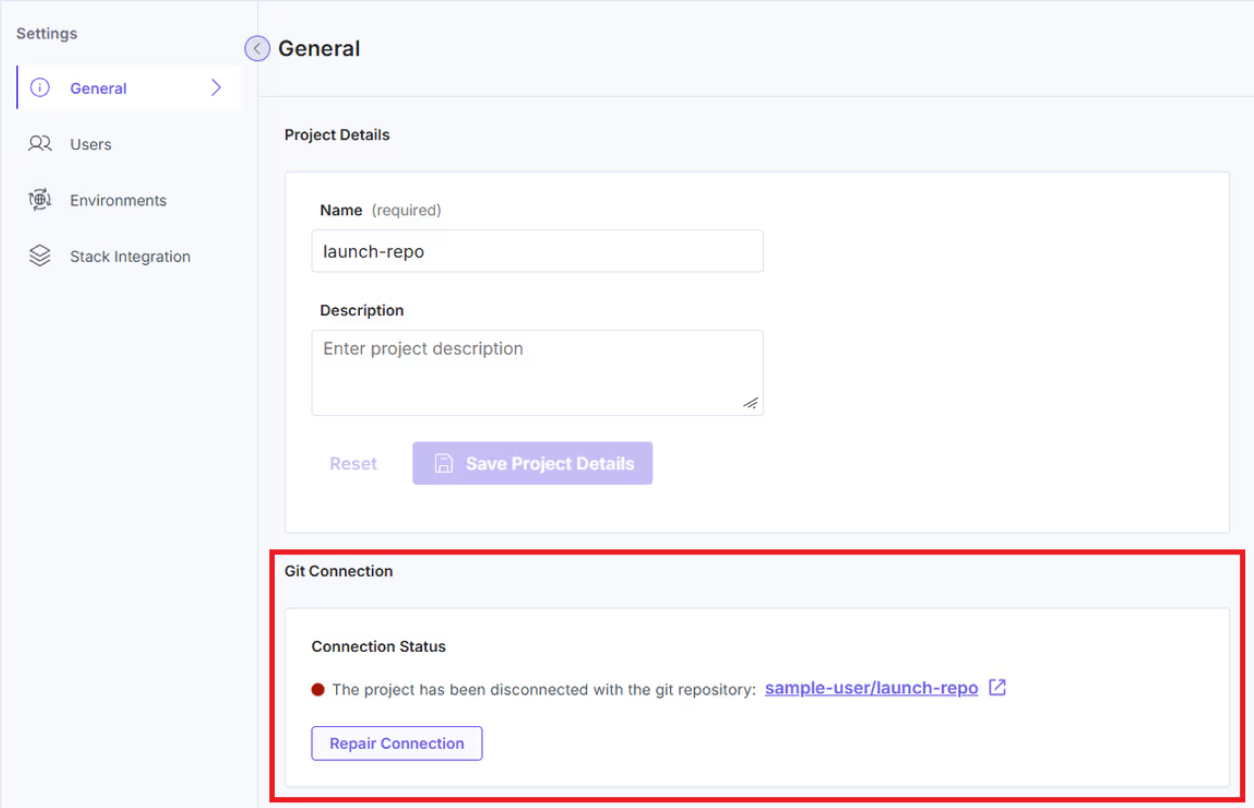
Launch will automatically repair the connection between your project and the Git repository.
Troubleshooting
If you encounter any of the following issues while repairing your Git provider connection, follow the corresponding troubleshooting steps to resolve them:
- Please connect to a Git provider OAuth app before proceeding with the repair
Your Git Provider app is currently uninstalled.
- Install the Git Provider Marketplace app.
- Install the Bitbucket Marketplace app by following the steps in the Create a Project using Bitbucket Cloud documentation.
- Retry the Repair Connection action.
- Install the Git Provider Marketplace app.
- Please add the repository to the Git Provider OAuth app before proceeding with the repair
You are attempting to access a repository that is not accessible. Follow these steps to grant access to the required repository of the Git Provider:
- To grant access to a repository to a user in Bitbucket Cloud, follow the steps in the Grant repository access to users and groups documentation.
- Retry the Repair Connection action.
- Git provider service is temporarily unavailable
You are attempting to interact with the Git Provider service when it is unavailable due to maintenance, downtime, or network issues. In this case, you may retry after some time. If the issue persists, please contact support.
More articles in "Launch How to Guides"
