

Delete a Custom Attribute
Deleting a custom attribute from your Personalize project helps maintain an organized set of attributes and ensures that only relevant data is tracked.
This guide walks you through the steps required to delete non-referenced and referenced custom attributes from your project, allowing you to clean up unused or redundant attributes.
Prerequisites
- Contentstack account
- Personalize-enabled Organization with permissions
Note: Users with Owner and Member access to a Personalize project can delete existing custom attributes.
- Access to Personalize project
Note: We assumed that you have already created a Personalize project. If not, follow this guide to create a project in Personalize.
What You Will Learn
The difference between a non-referenced and a referenced custom attribute.
How to delete a non-referenced custom attribute.
How to remove a referenced attribute from audience rules and then delete it.
Steps for Execution
To delete the custom attribute, follow the steps:
Delete a Non-referenced Custom Attribute
A non-referenced attribute in Contentstack Personalize is a custom attribute that is not currently being used in any audience rules or segmentations within your project.
To delete an existing non-referenced custom attribute, log in to your Contentstack account and perform the following steps:
- In the top navigation bar, click the App Switcher icon and then click Personalize.
- You will be redirected to the Personalize Projects landing page. Click the project for which you want to delete a custom attribute.
- Click the Attributes tab.
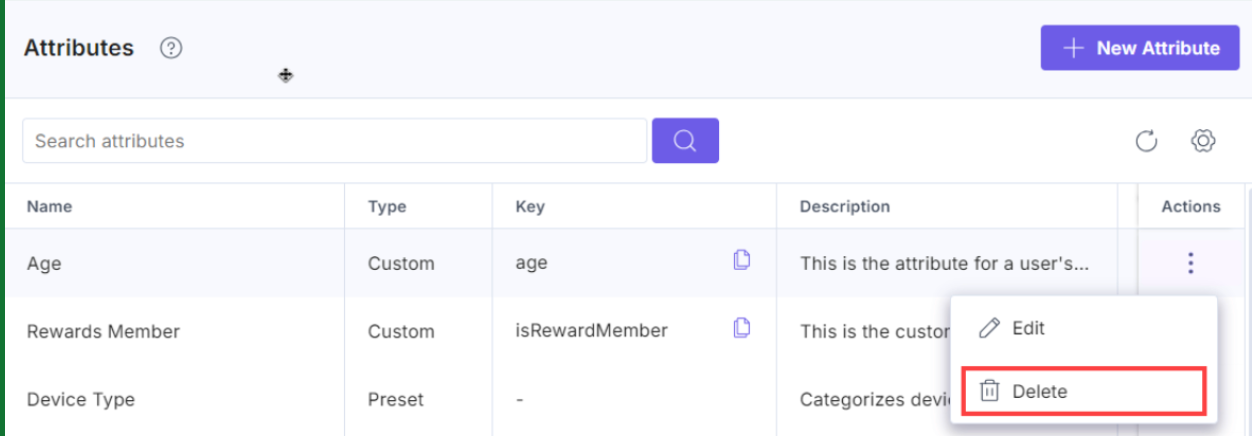
- You can delete an existing custom attribute by clicking the corresponding vertical ellipses under the Actions section and selecting Delete.
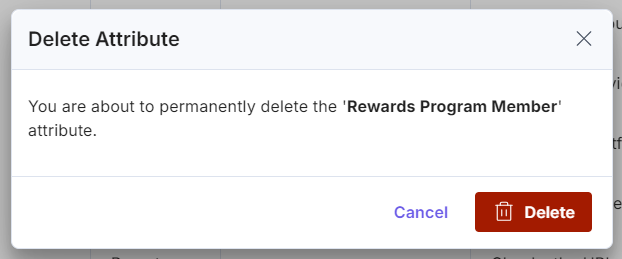
- In the Delete Attribute modal, click Delete to permanently delete the custom attribute.
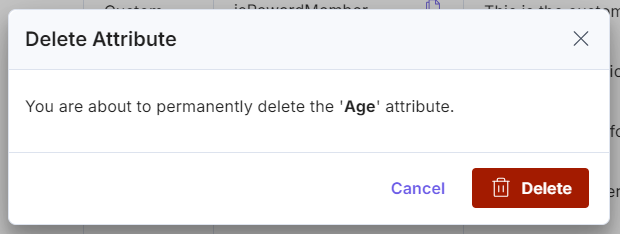
You will get a success message after the custom attribute is deleted from Personalize.
Delete a Referenced Custom Attribute
A referenced attribute in Contentstack Personalize is a custom attribute that is currently being used in audience rules or segmentations within your project.
This means that the attribute is actively involved in defining the conditions or criteria for targeting specific audiences with personalized experiences.
As a result, deleting a referenced attribute requires additional steps to ensure that existing audience definitions and personalization strategies are not disrupted. This involves first removing the attribute from any audience rules where it is used, and then proceeding with its deletion.
To delete an existing referenced custom attribute, log in to your Contentstack account and perform the following steps:
- In the top navigation bar, click the App Switcher icon and then click Personalize.
- You will be redirected to the Personalize Projects landing page. Click the project for which you want to delete a custom attribute.
- Click the Audiences tab.
- To remove a referenced custom attribute from the Audience, open the audience in one of the following ways:
- Click the audience name, or
- Click the vertical ellipses under Actions and select Edit.
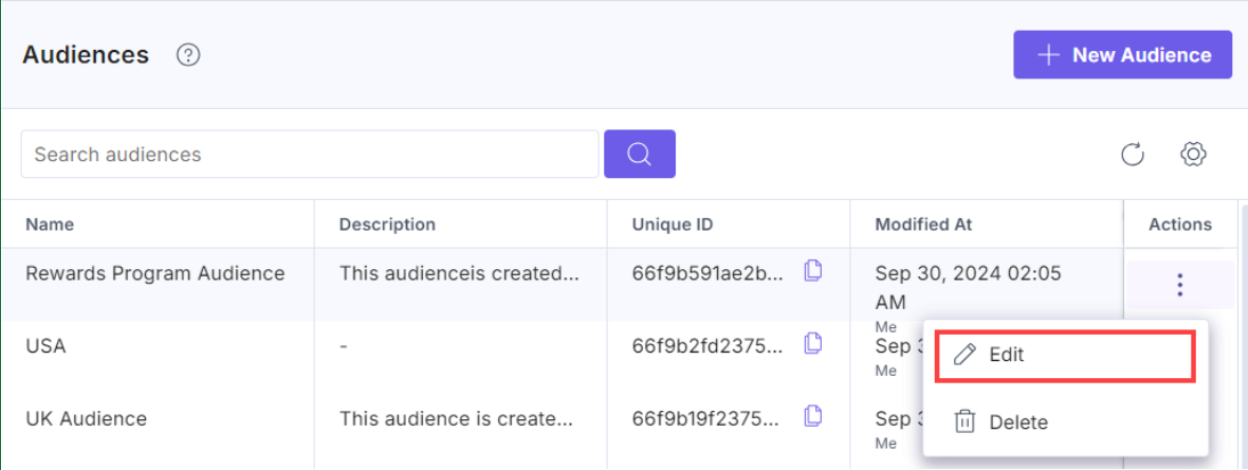
Note: To delete custom attributes from a referenced audience, ensure that the experience associated with that audience is in ‘Draft’ status.
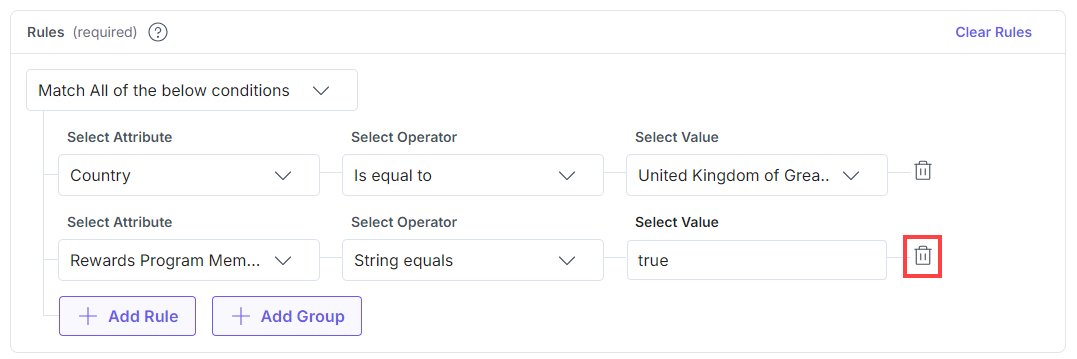
- In the Audience page, scroll to the Rules section and then click the Delete icon next to the preferred custom attribute from the list.
- Once you have done that, click the Save button.
- Now that we have removed the custom attribute from the Audience’s Rules, click the Attributes tab in the left navigation panel.
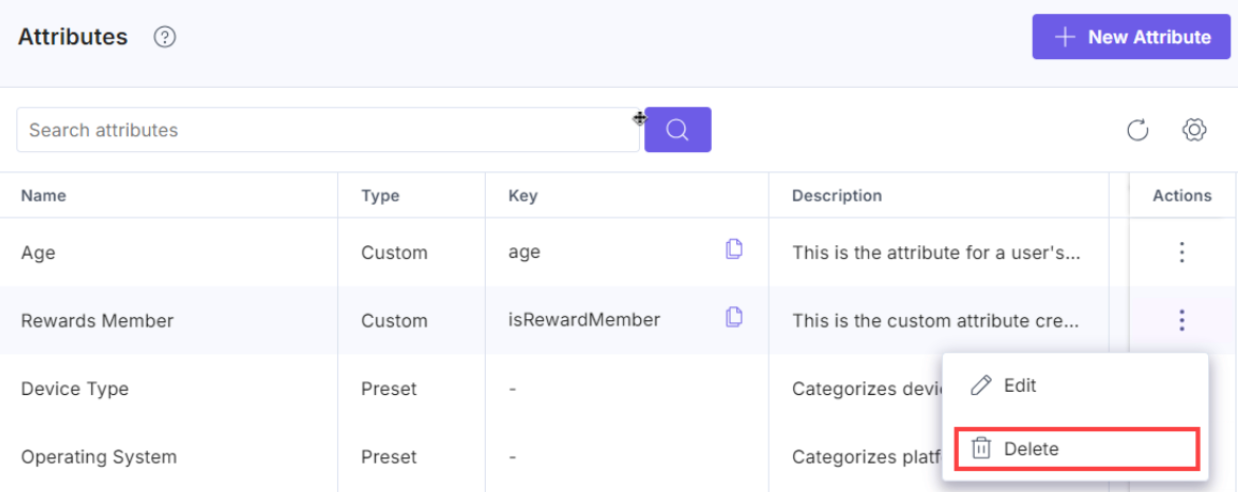
- You can delete an existing custom attribute by clicking the corresponding vertical ellipses under the Actions section and selecting Delete.
- In the Delete Attribute modal, click Delete to permanently delete the custom attribute.
You get a success message after the custom attribute is deleted from Personalize.
Warning: Deleting a custom attribute might affect the Audience segmentation, experience performance, and the data for that attribute will no longer be collected from that point onward.
Related Resource
More articles in "Working with Attributes"
